
bdg11 — Crash Games, Slots and Sportsbook with Local Wallet Deposits
Deposit via bKash, Nagad, or Rocket and you're in the lobby in seconds — no bank card needed, no waiting around. bdg11 brings crash games, fan-favourite slots, live casino tables, and cricket-led sportsbook markets together in one place, accessible from your phone…
bdg11 · Bangladesh
Service availability depends on eligible regions and local law. Users should check local rules before opening an account.
Related pages
What You Get When You Join bdg11
We built bdg11 around the way people in Bangladesh actually move money and play games — through mobile wallets, on small screens, with quick account access. Every feature here is chosen to cut out the friction between your wallet and the lobby.
APK and App Access
Download our Android APK directly or add the web app on iOS. No app store barrier — install in under a minute and log in with your OTP.
Cricket and Sports Betting
BPL matches, international cricket, and football markets are available in the sportsbook. Browse live odds and place your call on the go.
Live Casino and Crash Games
Evolution and Pragmatic Play live tables run around the clock. Crash Hyper and similar titles let you set your own cash-out point on every round.
Daily Account Rewards
Reload offers, cashback rewards, and weekly promos are posted to your account dashboard. Check the promo board after you log in to see what is running.
Offers Running on Your Account This Week
New accounts may qualify for a deposit match on their first bKash, Nagad, or Rocket top-up. Check the promo board for the current terms and any wagering requirement before depositing.
Open Your Account
Weekly cashback is calculated on your net losses across slots and live casino. The amount posts to your account wallet at the end of the qualifying period, subject to that week's offer terms.
Open Your AccountCrash Games, Live Tables, Slots and More
The bdg11 lobby runs across four main categories: crash games, slots, live casino, and sportsbook. Crash Hyper is one of the most-opened titles — you watch the multiplier climb and tap out when you're ready. Live baccarat and Dragon Tiger tables from Evolution stream in real time, with road maps and side bets available. PG Soft and Pragmatic Play supply much of the slot floor, with titles like Mahjong Ways and Gates of Olympus among those we get asked about most. RTP figures are displayed on individual game pages where the provider exposes them — we don't publish numbers the studios haven't confirmed.

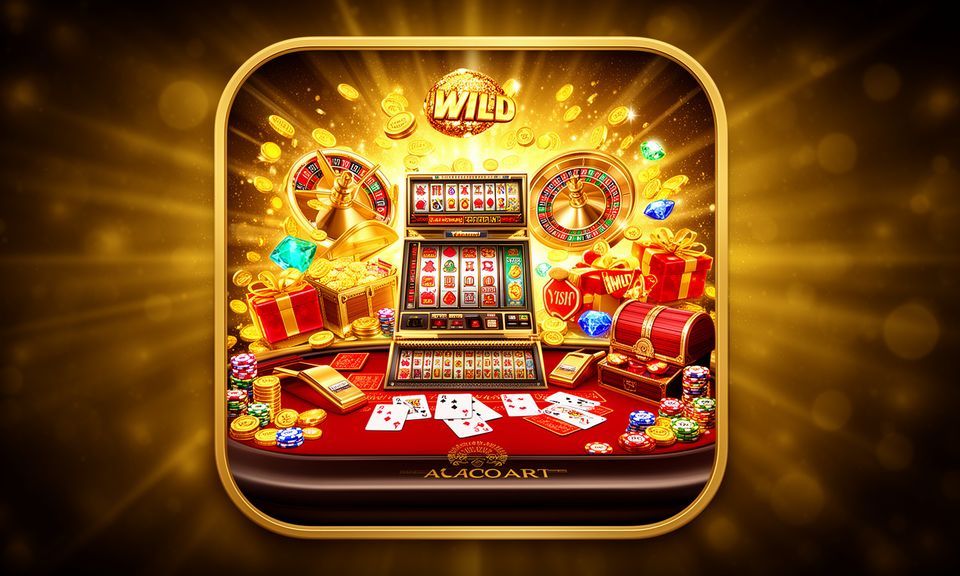

Get the bdg11 App on Android or iOS
Android users can grab our APK straight from the bdg11 site — no Play Store step, no waiting for an approval cycle. iOS users can add bdg11 as a web app from Safari, which puts a lobby shortcut on your home screen that behaves like a native install. Either way, your account, wallet balance, and the full game library load from the same login. The mobile interface is built for one-thumb navigation, so switching between the sportsbook and live casino takes one tap, not a menu dig.
Android APK
Latest version
- 1Download Android APK from bdg11 site
- 2Install and open — no Play Store needed
- 3iOS: open Safari, tap Share, then Add to Home Screen
- 4Log in with your OTP and reach the full lobby
Fund Your Account with bKash, Nagad or Rocket
We support three mobile wallet rails because those are what people actually use in Bangladesh — not card numbers or bank wires that take days to process. The deposit path is short: open your wallet app, send to the account number shown in the cashier, confirm with your PIN, and the balance appears on your bdg11 account. Withdrawals follow a verification step to confirm the wallet belongs to you, then the transfer goes back to the same number you deposited from.
| bKash | Open bKash, tap Send Money, enter the merchant number from the cashier screen, add your deposit amount, and confirm with your PIN. Your account balance updates after the transfer posts. |
|---|---|
| Nagad | Nagad deposits follow the same send-money path. Enter the account number shown at checkout, choose your amount, and authenticate with your Nagad PIN. Funds clear to your lobby wallet promptly. |
| Rocket | Rocket is a Dutch-Bangla Bank mobile wallet that works on basic phones as well as smartphones. Use the Rocket app or USSD code to send the deposit amount to the cashier number we display. |
| Bank Transfer | Bank Transfer is available for accounts that prefer a direct route. Transfer from your Bangladesh bank account using the details shown at checkout; processing time depends on your bank's clearing schedule. |
Reach Our Support Team When You Need It
Most questions at bdg11 come down to three things — a deposit that hasn't posted, an account login issue, or a withdrawal query. Our support team handles all three through live chat on the site and via the Telegram channel linked in your account settings. If your bKash or Nagad payment has gone through on the wallet side but hasn't appeared in your lobby balance, screenshot the wallet confirmation and send it through chat — that speeds up the check significantly.
Live Chat
The live chat widget is on every page of the bdg11 site. Start a conversation directly from the lobby — no email thread, no ticket queue. An agent picks up and walks you through the issue in real time, whether it is a wallet query or an account access problem.
Telegram Support
Our Telegram channel is listed in your account settings under the Help section. Use it for deposit confirmations, withdrawal follow-ups, or any account question you want tracked in writing. Send your wallet screenshot there for the fastest turnaround on a payment query.
Account Help Centre
The Help Centre in your account dashboard covers common topics: how to link a new wallet number, how KYC verification works before your first withdrawal, and how to read your transaction history. Start there for self-serve answers before opening a chat.
Platform at a glance
| Game providers | Pragmatic Play, Evolution, CQ9, Red Tiger |
|---|---|
| Game categories | Live Casino, Slots, Sportsbook |
| Sports betting | Included |
| Accepted currency | BDT |
| Payment methods | bKash, Nagad, Rocket, Upay, Bank Transfer |
| Customer support | Live chat and email |
From Zero to Lobby in Four Easy Steps
Setting up a bdg11 account takes a few minutes on your phone. You don't need a credit card or a desktop browser — your bKash, Nagad, or Rocket number is all you need to fund the account after registration. The path below covers the standard mobile flow: choose how you want to access the app, create your account with a phone number and OTP, add your local wallet, and you're at the lobby door.
Step 1 — Choose Your App Path
Android users download the APK from the bdg11 site and install it directly. iOS users open Safari and save the site as a web app on their home screen — same lobby, no App Store required.
Step 2 — Create Your Account
Enter your phone number on the registration screen. You'll receive a one-time PIN by SMS. Confirm it to activate your account — no email address or lengthy form needed to get through the door.
Step 3 — Add Your Local Wallet
Go to the cashier and select bKash, Nagad, or Rocket. The screen shows the account number to send to. Complete the transfer in your wallet app and confirm the amount. Your lobby balance updates once the payment posts.
Step 4 — Enter the Lobby
Your deposited balance is now available across all game categories. Head to crash games, the live casino floor, the slots section, or the sportsbook for cricket and football markets — all from the same account.
Quick Glossary for New and Returning Players
Some terms come up often in the lobby and on the promo board. Here is a plain-English explanation of the ones worth understanding before you start placing money on a game or claiming an offer.
A wagering requirement (also called rollover) is the number of times you must stake a bonus amount before you can withdraw the resulting balance. For example, a 10x requirement on a 500 BDT bonus means 5,000 BDT in total bets.
Volatility describes how a slot pays out. High-volatility slots like Gates of Olympus pay less often but in larger amounts when they do hit. Low-volatility slots pay more frequently but in smaller amounts per round.
In crash games like Crash Hyper, a multiplier climbs from 1x upward after each round starts. You tap the cash-out button at your chosen point. If the round crashes before you tap, you lose the round stake.
KYC stands for Know Your Customer. bdg11 uses it to verify your identity before processing your first withdrawal. You submit a copy of a valid ID and confirm your registered wallet number belongs to you.
House edge is the mathematical advantage the platform holds on a game over the long run. It is expressed as a percentage of every bet. Live baccarat typically has a low house edge compared to many slot games.
RTP stands for Return to Player — the theoretical percentage of all wagered money a slot or game pays back over many rounds. Where a provider like PG Soft or Pragmatic Play publishes the figure, it appears on the game's info page.
An accumulator combines multiple match selections into one bet. All selections must win for the bet to pay out. Odds multiply across each leg, so the potential return is higher — and so is the risk of the whole bet losing.
Common Questions About bdg11
These are the questions we hear most from accounts in Bangladesh — covering the app, deposits, withdrawals, game access, and account security. If your question isn't here, open live chat from the lobby and an agent will sort it out directly.
Open Your bdg11 Account and Fund It with Your Mobile Wallet
Everything you need is on your phone already — your bKash, Nagad, or Rocket wallet, a browser or the bdg11 app, and a couple of minutes to register. Create your account with your phone number, deposit through your preferred wallet, and you're looking at the full lobby: crash games, live baccarat, slots from Pragmatic Play and PG Soft, and a sportsbook that covers BPL and international cricket. Access depends on your local law and eligible region. If you run into anything, our support team is on live chat and Telegram ready to help.